Article Read Time

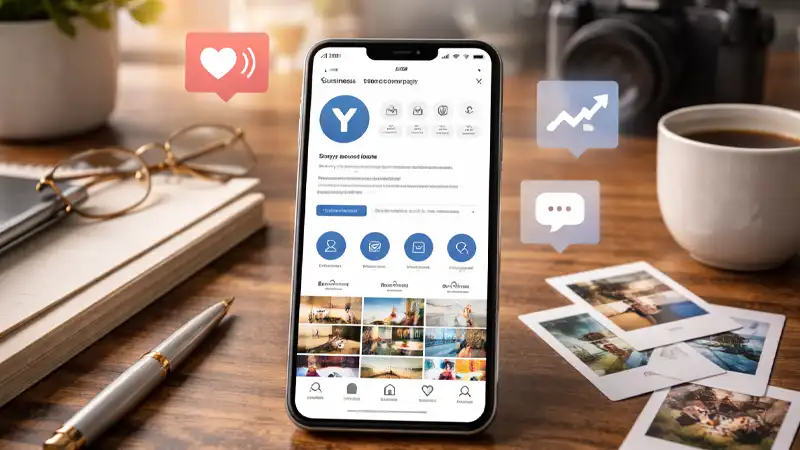
A professional Instagram profile is a visual-first platform, so the brands that perform best are the ones that can show what they do, not just explain it. The most naturally effective companies on Instagram tend to fall into one (or more) of these buckets:
- Product-driven businesses with strong photography/video: retail, makers, e-commerce, boutiques, CPG, and brands with new arrivals or seasonal drops.
- Experience businesses: restaurants, tourism, events, venues, entertainment, hospitality.
- Service businesses with visible results: fitness, wellness, salons, med spas, home services, contractors, automotive, real estate (before/after wins on Instagram).
- Local/community businesses: anything that benefits from “in the moment” updates, behind-the-scenes, and community trust.
- B2B brands can still win, but usually through culture, recruiting, thought leadership, client stories, and process transparency (people buy from people).
If your company can create consistent visual proof results, people, process, products, and places. Instagram can be one of your strongest brand and lead channels.
1) Start with a Professional Instagram Profile (Business) and pick the right category
For most companies, you want a professional Instagram account to access business features such as Insights and profile tools. Meta’s setup flow is straightforward: go to Settings → Account type and tools → switch to a professional account, then choose a category that fits your business.
Best practice: choose a category your customer would expect (and search for). The right category helps visitors instantly understand what you are.
2) Build a “3-second profile”: photo, name field, bio, and link
When someone lands on your profile, they’re deciding in seconds whether to follow, click, or leave. Prioritize:
- Profile image: clean logo (high contrast, readable at small sizes).
- Name field: use keywords, not just your brand name (e.g., “TCHQ Communications | Marketing + PR”).
- Bio: one sentence on who you help + one sentence on outcome + one CTA (“Book a consult,” “Download the guide,” etc.).
- Link: send people to a single focused destination (landing page > homepage, when possible). If you rotate offers, use a simple “start here” landing page that stays relevant.
3) Add an Action Button that matches your main goal
Instagram business profiles can add a single action button (options vary by business type, region, and integrations). Use this to reduce friction—especially for service businesses.
Pick one primary action:
- Calls/appointments → a booking or “Call” action
- Leads → “Contact” or “Email.”
- Storefront → “Order”/“Reserve” where applicable
Then make sure the destination (booking page, contact form, etc.) is fast, mobile-friendly, and short.
4) Set up messaging so you can respond quickly (and not lose leads)
Instagram is often a message-first platform for local and service businesses. When you switch to a professional account, you gain professional messaging features that help organize and manage DMs.
Best practices:
- Decide who monitors messages and how often.
- Use quick replies for FAQs (pricing range, hours, how to book).
- Create a simple internal rule: reply within X hours during business days.
5) Use Meta Business Suite or a good third-party platform for consistency and control
If more than one person touches your account or if you manage Facebook and Instagram together, Meta Business Suite can centralize publishing, messages, and insights.
This reduces missed DMs, inconsistent posting, and “who has the password?” problems.
6) Create your Professional Instagram Profile Infrastructure: Highlights + pinned content
Your grid is not enough. New visitors need a shortcut to trust.
- Story Highlights: create 4–6 evergreen highlight buckets (Start Here, Services, Results, FAQs, About, Reviews/Clients). Highlight covers are optional, but consistent covers make your profile feel more intentional.
- Pinned posts (if available): pin your best “start here” content, what you do, who you help, and one proof post.
7) Plan content around pillars (not random posts)
Before you post daily, decide what you’re known for. Most companies do best with 3–5 repeatable pillars:
- Education (tips, FAQs, common mistakes)
- Proof (before/after, wins, testimonials, case studies)
- Process (how you work, behind-the-scenes, “a day in the life”)
- People/community (team, partners, local events, values)
- Offers (book now, download, events, promotions)
Rule of thumb: keep promotion a smaller slice. Lead with value and proof; sell second.
8) Use the right formats (and size them correctly)
Instagram rewards formats that keep attention, especially short-form video.
- Reels: best for reach and discovery.
- Carousels: best for saves and shares (how-to, checklists, step-by-step).
- Stories: best for frequency, relationship building, and quick updates.
For video, stick to recommended dimensions so your content looks crisp and doesn’t crop awkwardly. Instagram Reels typically look best at 1080×1920 (9:16).
9) Turn on Insights and define what “success” means
Instagram Insights help you understand follower growth, reach, engagement, and content performance.
Pick 1–2 metrics per goal:
- Awareness: reach, follower growth
- Engagement: saves, shares, comments
- Leads: link clicks, DMs started, form fills
- Sales: product clicks, conversions (if tracked)
Then review monthly: double down on what’s working, cut what isn’t.
10) Launch with a simple 2-week starter plan
Most businesses stall because they overthink. Instead, launch with a starter set you can sustain:
Week 1
- Post 1: “Start here” (who you help + what you do)
- Post 2: Proof (testimonial/result)
- Post 3: Educational tip (common mistake + fix)
Week 2
- Post 4: Behind-the-scenes/process
- Post 5: FAQ (answer the #1 question you get)
- Post 6: Offer (book/consult/download)
Add Stories 3–5 days per week with quick updates, polls, and reposts.
Bottom Line: Professional Instagram Profile
A strong Instagram business account is less about chasing trends and more about building a profile that earns trust fast and makes it easy for the right people to take the next step. When your account is set up with clear positioning, a keyword-friendly name and bio, a single focused link and action button, organized Highlights, and a simple content system built around repeatable pillars (proof, education, process, people, and offers), Instagram becomes a reliable engine for visibility, engagement, and leads. Use the checklist below to lock in the essentials, avoid common setup mistakes, and create an account you can maintain consistently without burning out.
Professional Instagram Profile Quick Setup Checklist
- Professional (Business) account enabled
- Category selected + contact info accurate
- Bio: who you help + outcome + CTA
- Link goes to a focused landing page
- Action button configured
- DMs workflow defined (who replies, how fast)
- 4–6 Highlights created (Start Here, Services, Results, FAQs, About)
- 3–5 content pillars chosen
- Reels/Stories sized correctly (1080×1920, 9:16)
- Insights reviewed monthly
Need help? That’s what we are here for. Contact TCHQ Communications today at 502-209-7619.


You must be logged in to post a comment.