
Article Read Time

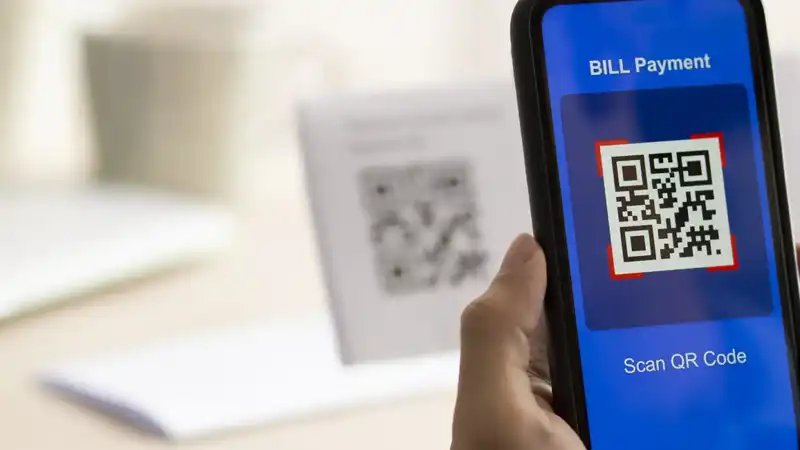
The QR code (Quick Response Code) has become one of the most popular “friction removers” in modern marketing. They turn a poster into a landing page, a menu into an order flow, a direct-mail piece into an appointment, and a trade-show booth into a lead list without asking customers to type a URL with their thumbs.
But let’s get one thing straight: QR codes are not a magic bullet. A QR code doesn’t fix unclear messaging, a weak offer, a confusing landing page, or a business that isn’t ready to convert interest into action. Used poorly, QR codes add confusion. Used well, they can shorten the path from “that looks interesting” to “I’m in.”
The catch is that QR codes have also become a favorite tool for scammers, thanks to “quishing” (QR phishing). The same convenience that helps customers move quickly can also help bad actors move quickly. As Sheri Donahue of Commonwealth Sentinel puts it: “Unfortunately, with technological convenience comes significant risks.”
So how do you get the benefits without inviting trouble? Start with what QR codes are, and what they aren’t.
Why a QR Code works (when it’s aligned with the goal)
At their best, they do three things:
- Reduce friction
One scan beats typing a long URL, especially in the moment at a counter, at an event, or while standing in line. - Create a clean bridge from offline to online
Print pieces, signage, product packaging, and in-person experiences can connect directly to the next step: booking, ordering, learning more, or joining a list. - Improve measurement
With the right tracking, you can see what placements are working, which offers are converting, and what needs to change.
That’s the marketing upside. Now let’s talk about the downside.
The cyber security reality: the QR code is not the destination
QR codes are basically a shortcut to a URL (or an action). The problem is that a person can’t glance at a QR and know where it goes. Scammers exploit that blind spot.
Common “quishing” patterns include:
- Sticker swaps in public places: criminals place a malicious QR sticker over a legitimate code on posters, donation signs, restaurant tables, parking kiosks, or community bulletin boards.
- Spoofed login pages: the QR opens a page that looks like Microsoft 365, a bank, a shipping portal, or a vendor payment page—then captures credentials.
- Sketchy downloads: QR prompts users to install an app or download a file that isn’t what it claims to be.
- Targeted QR phishing: scammers send emails, texts, or printed notices with QR codes designed to direct victims to mobile devices, where they are more likely to click quickly and think less.
Sheri Donahue boils down the best defense in a single line: “Think Before You Scan: Don’t scan every QR you see.” That mindset applies to businesses, too. If you’re putting them out into the world, assume someone may try to tamper with them or imitate them.
A quick TCHQ pet peeve: QR code in digital ads (on phones)
Now, for a practical issue we see all the time: QR codes placed inside digital ads viewed on phones. If someone is already on their phone, they generally can’t scan QR codes displayed on the same screen (unless they take extra steps, such as taking a screenshot and using a secondary scanner—which most people won’t do).
If the ad is being served on mobile, your CTA should be clickable, not scannable.
Best practice:
- If it’s a mobile ad, use a button or link: “Click here” / “Tap to book” / “Tap to claim.”
- If you still want QR codes for desktop viewers, make sure the ad also includes a clear, clickable CTA and a readable URL
QR codes excel in physical spaces and cross-device moments (like a poster in a real-world location that opens an app on a phone). They are often unnecessary or inconvenient in mobile-first digital placements.
Best practices: how to use a QR code effectively and safely
Here are the guardrails that keep QR codes useful without creating a trust risk.
1) Make the destination recognizable
Whenever possible, point QR codes to a URL on your own domain (example: yourbusiness.com/schedule). Avoid random-looking links that make people uneasy.
2) Always include a human-readable URL
Print the short URL below or beside the QR code. This helps in two ways:
- It increases trust (“Yes, this goes to the business site.”)
- It gives a backup path if scanning fails
3) Use dynamic codes for campaigns
Dynamic QR codes let you update the destination later without reprinting materials. That matters if:
- Change your offer or landing page
- Discover the link needs to be shut down quickly
- Want to rotate destinations seasonally
4) Don’t send people to a bad experience
QR codes don’t fix a weak landing page. Make sure the page is:
- Mobile-optimized
- Fast-loading
- Clear about the next step
- Not overloaded with form fields
If you want conversions, remove friction after the scan, too.
5) Minimize what you ask for immediately
Be cautious about requesting logins, making payments, or sharing sensitive information immediately after a scan, especially in public settings. If you must, add a “step zero” page that reassures the user and clearly explains what they’re about to do.
6) Make physical tampering harder
If your QR codes are posted in public:
- Use tamper-evident labels
- Place codes behind acrylic or in frames
- Incorporate branded elements (harder to convincingly replace)
- Assign a simple inspection routine (quick weekly checks)
7) Control who can create or edit QR codes
Treat QR creation like website access:
- Limit permissions
- Use strong passwords and MFA where the codes are managed
- Keep an inventory (where codes are placed, what they point to, and why)
8) Monitor performance for anomalies
Track QR traffic like any other channel. Sudden changes can indicate issues:
- Unusual spikes or strange geographies
- Sharp conversion drops
- Increased customer complaints (“That link looked weird”)
9) Train staff: QR codes are links
Your team should treat QR codes like links in an email. If something looks off, stop and report it. The fastest incidents to contain are the ones caught early.
Bottom line on the QR Code
QR codes are not a marketing cure-all, but they can be a strong tool when they fit the moment: physical placements, real-world experiences, and quick offline-to-online transitions.
The goal is to balance using QR codes to reduce friction with smart deployment to reduce risk. Or, as Sheri Donahue’s warning makes clear, convenience is valuable, but only when it doesn’t quietly become the pathway to catastrophe.
Need help? That’s what we are here for. Contact TCHQ Communications today at 502-209-7619.



You must be logged in to post a comment.