Article Read Time

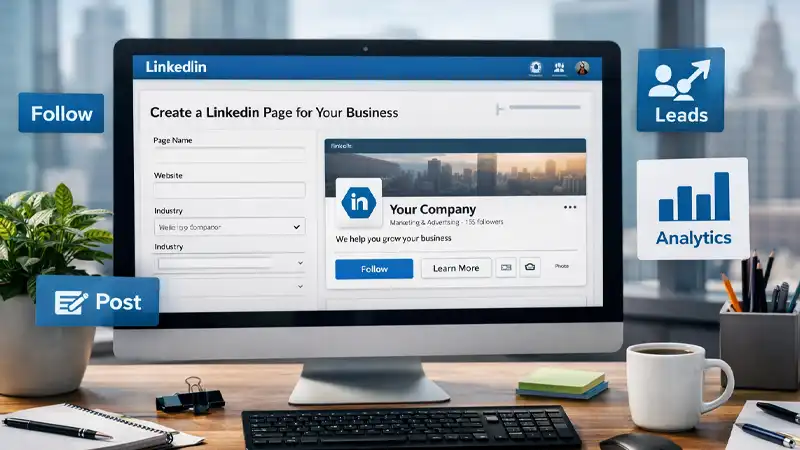
A company’s LinkedIn page shouldn’t be a static brochure you update once a year. It should be an operational asset: searchable, credible, and designed to turn curious visitors into followers, leads, and conversations. Here’s a practical, step-by-step setup guide we use at TCHQ Communications to build (or rebuild) a page that performs.
1) Start LinkedIn Page with “clarity in 3 seconds.”
Before you touch settings, get these three answers locked in:
- Who you help
- What problem do you solve
- What outcome do you deliver
Then write your tagline and About section to match. LinkedIn explicitly recommends leading your Page overview with relevant keywords and phrases that describe your organization’s mission and purpose, because members can search using keywords.
Best-practice About format (simple, effective):
- One sentence: who + outcome
- 3–5 bullets: services/differentiators
- Proof: results, clients served, industries, or process
- CTA: what to do next
2) Complete the LinkedIn Page Profile like it’s an SEO page
Incomplete Pages don’t just look unfinished; they’re harder to trust and harder to find.
At a minimum, make sure the following are accurate and current:
- Logo + cover image
- Website URL
- Location(s)
- Industry + company size
- Tagline, About, specialties
LinkedIn’s own Pages best-practices guidance highlights the basics (logo, cover image, organization information such as website URL and location) as foundational setup items.
A quick visual note: don’t over-design your banner. Keep it readable on mobile. Use one clear message (or none) and let the page content do the selling.
3) Set the LinkedIn Page admin governance on day one (and don’t skip this)
Too many pages end up “owned” by one person who leaves the company, forgets passwords, or changes roles. Fix that upfront.
Minimum governance setup:
- Assign at least two admins (ideally three).
- Use roles intentionally (someone for content, someone for oversight, someone for paid if applicable).
- Keep a written record of who has access to what.
LinkedIn Pages have defined admin roles (Page admin and paid media admin roles) and tiered permissions.
To add admins, you generally need super admin access, and LinkedIn’s help documentation lays out the process through Page settings.
4) Add (and test) your call-to-action button
If you do only one “conversion” thing on your LinkedIn page, do this.
LinkedIn lets Page admins add a custom call-to-action (CTA) button that appears at the top of the Page, and it can be linked to any URL you choose.
CTA choices that work well for most companies:
- Contact us → a short, single-purpose contact page
- Visit website → a service overview or “start here” landing page
- Sign up → newsletter, download, or consult the request form
Pro tip: Use a tracked link (UTM parameters) so you can see LinkedIn traffic inside your website analytics.
5) Launch with a two-week content starter kit
A Page with zero recent posts feels abandoned—even if it’s technically “complete.” Before you announce the Page, queue up a starter set of posts.
Week 1 (credibility + clarity)
- “What we do / who we help” post (plain language, not jargon)
- Proof post (case study, testimonial, outcome, or client win)
- Point-of-view post (your stance on a common problem in your industry)
Week 2 (conversation + conversion)
4. Practical tip post (something immediately useful)
5. Behind-the-scenes/culture post (people trust people)
6. Offer post (free consult, download, event, or resource)
Keep hashtags tight: 3–6 relevant tags. Avoid misspellings and overly generic tags when a more specific one exists.
6) Build distribution through employees (the modern way)
Employee engagement is still one of the strongest organic multipliers on LinkedIn—but some older “employee advocacy” features have been discontinued (including the My Company tab / Employee Advocacy tab).
Instead of relying on platform features that may come and go, build a simple internal routine:
- Create a monthly “share pack” (3 suggested posts, 3 short captions, 3 images).
- Encourage staff to follow the Page and engage early (first hour matters).
- Rotate who posts from personal profiles vs. the company page (personal profiles often get better reach).
7) Treat your Page like an asset you maintain
LinkedIn requires certain fields (like overview/industry/company size) before a Page can go live, and completing optional fields improves clarity for visitors.
After launch, maintenance is straightforward if you systematize it.
Monthly checklist:
- Update banner/featured links if an offer changes
- Review top-performing posts and repeat what works (topic + format)
- Refresh specialties/keywords based on what prospects actually ask for
- Audit Page info (hours, location, URL, CTA link) for accuracy
Quarterly checklist:
- Rewrite the first 2 lines of your About section if your positioning shifts
- Update your pinned/featured post to match your current priority (lead magnet, consult CTA, event, etc.)
Bottom Line: for Company LinkedIn Page
LinkedIn is increasingly a valuable asset for businesses, especially those in the B2B sector. With a thoughtful setup and consistent maintenance, you can significantly enhance your return on investment. Whether you’re creating a new page or refreshing an existing one, consider this short checklist to guide you through the process and set yourself up for success.
Quick Setup Checklist
- Tagline answers: who + outcome
- About section: clear, keyworded, proof + CTA
- Logo + cover image uploaded
- Website + location + industry + size completed
- Specialties match searchable services (no vague terms)
- 2–3 admins assigned with roles
- CTA button added + tracked link
- 6-post “two-week starter kit” queued
- Employee share routine created
Need help? That’s what we are here for. Contact TCHQ Communications today at 502-209-7619.
You must be logged in to post a comment.