Article Read Time

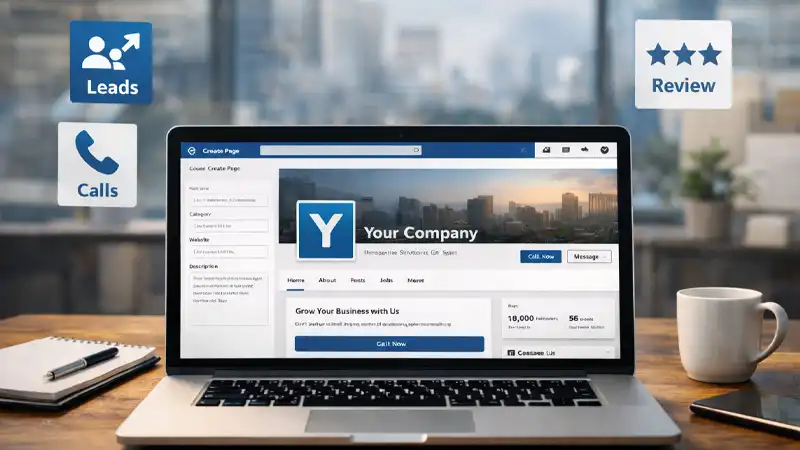
A Facebook Business Page is still one of the most practical “home bases” for local discovery, social proof, messaging, and community updates, especially for small businesses and nonprofits. But most Pages are set up like an online directory listing: incomplete, inconsistent, and not designed to convert.
1) Decide the Facebook Business Page job before you touch settings
Your Page should be built around one primary action. Choose the top priority:
- Get calls or consultation requests
- Get website visits (and form fills)
- Get messages (DMs) for leads/support
- Build community and repeat engagement
- Drive event attendance
This decision affects your call-to-action button, layout choices, and even what you post. If you try to optimize for everything, you’ll usually optimize for nothing.
2) Nail “clarity in 3 seconds” with the right basics
When someone lands on your Page, they should immediately understand what you do and whether you’re relevant to them.
Complete these items early and keep them consistent with your website:
- Page name (match your real brand name)
- Category (choose what customers would search)
- Username/handle (short, readable, consistent across platforms if possible)
- Contact info (phone, email)
- Location and service area
- Hours (including holiday exceptions)
- Short description (one sentence: who you help + outcome you deliver)
- Website link (use a tracked link if you can)
If your audience is local, accuracy here matters as much as the visuals.
3) Use strong visuals: profile photo + cover photo that “sell” at a glance
Your profile image should be simple and recognizable at small sizes, usually your logo mark. Your cover photo is “billboard space” and should reinforce one message:
- What you do (in plain language)
- Who you serve (optional)
- A simple call to action (optional)
For sizing, your cover photo displays differently on desktop and mobile. Buffer summarizes common sizing guidelines and how Facebook renders the cover image on desktop vs. mobile. If you add text to the cover, keep it minimal and centered so it doesn’t get cropped or covered by interface elements on different devices.
4) Add the Facebook Business Page action button and make it match your goal
This is one of the most important conversion elements on your Page. Facebook allows you to add or edit an action button from your Page (e.g., “Contact,” “Learn More,” etc.).
Pick one primary button:
- Call Now (best for service businesses with phone-first leads)
- Send Message (best if you can respond quickly)
- Learn More (best if you have a strong landing page)
- Sign Up / Book Now (best if you have a scheduling or lead capture flow)
Then link it to a single, focused destination. If you use “Learn More,” send people to a landing page that repeats the same promise they just saw on Facebook.
5) Set up messaging so you don’t miss leads
Many Pages lose business simply because they don’t respond fast enough. Even if you’re not ready for full customer support in DMs, you can still set expectations:
- Turn on messaging (if it fits your workflow)
- Use an instant reply: “Thanks, here’s when we respond.”
- Add quick replies for common questions (hours, pricing range, how to book)
If multiple people manage the Page, use a centralized tool to ensure messages aren’t missed. Meta describes its Business Suite as a free tool to manage activity and insights across Facebook, Instagram, and Messenger.
6) Decide how you’ll handle reviews/recommendations
Recommendations can be valuable social proof, but they require attention. Facebook provides settings to turn Recommendations on or off and explains how they work.
Best practice:
- If you can monitor and respond consistently, keep them on.
- If you can’t respond (or your industry is frequently targeted by spam), consider turning them off temporarily and focus on testimonials you can control (screenshots, case studies, Google reviews embedded on your site).
If you keep them on, set internal rules: respond to every recommendation (good or bad) with professionalism and brevity.
7) Lock down Facebook Business Page access (this is non-negotiable)
Access problems are common: a Page is created by one person, credentials get lost, or someone leaves and still has control. Build a simple governance plan:
- Assign at least two admins (ideally three)
- Use the minimum access necessary for other team members
- Review access quarterly
- Require strong passwords and MFA for anyone with admin rights
Facebook explains Page access concepts (including task access) and notes that people with task access can manage the Page through tools such as Meta Business Suite and Ads Manager. It also provides guidance on requesting Page access and giving someone access via Business Suite.
Security note: Business accounts are regularly targeted by phishing. Recent reports have highlighted campaigns targeting Business Suite users that use convincing “official-looking” messages. Treat unexpected “verification” emails and urgent warnings as suspicious until you verify them independently.
8) Launch with a simple two-week content plan
A Page that looks abandoned loses trust. Before you announce your Page, queue up content so it feels active and intentional.
A practical 6-post starter kit:
- Welcome/positioning post: who you serve + what you do
- Proof post: testimonial, result, before/after, or mini case study
- Helpful tip: a quick win your audience can use today
- Behind-the-scenes: your team, process, or values (humanizes the brand)
- Offer post: consult, free estimate, download, event invite
- FAQ post: answer the #1 question you get from prospects
Mix formats: photos, short videos, and text posts. Don’t overproduce—consistency beats perfection.
9) Measure what matters and adjust monthly
Your first month is for learning. Track:
- Page follows (trend, not vanity spikes)
- Link clicks to your site
- Messages started
- Calls (if enabled)
- Post reach and engagement rate
Meta’s Insights reporting is designed to show audience and performance trends to help you understand what’s working. Set a monthly review: keep what performs, cut what doesn’t, and double down on the topics that drive messages, clicks, or calls.
Bottom Line: Facebook Business Page
A high-performing Facebook business Page is more than a profile; it’s a conversion tool that helps people quickly understand what you do, trust you, and take the next step. When your Page is set up with clear positioning, accurate business details, strong visuals, a goal-matched action button, and a simple plan for messaging, reviews, and access control, it becomes easier for the right customers to find you and easier for you to turn attention into calls, messages, website clicks, and real leads. Use the checklist below to lock in the essentials, avoid common setup mistakes, and build a Page that stays credible and effective over time.
The setup checklist (quick reference)
- One primary goal (calls, clicks, messages, community, events)
- Complete profile info and keep it consistent with your website
- Strong profile photo + mobile-safe cover photo
- Action button aligned to the goal
- Messaging workflows and response expectations
- Recommendations decision + response plan
- Multiple admins + least-privilege access + MFA
- 2-week launch content queued
- Monthly Insights review
Need help? That’s what we are here for. Contact TCHQ Communications today at 502-209-7619.
You must be logged in to post a comment.